
Introduction
Have you ever thought about starting your own mobile application but wondered how much money you would need to turn your idea into reality? Whether you want to develop an eCommerce app, a food delivery application, a business app, an educational platform, or a completely new digital product, understanding the investment required is one of the most important first steps.
Today, mobile applications have become an essential part of everyday life. People use apps to shop online, order food, book appointments, manage finances, learn new skills, communicate with businesses, and access countless other services. This growing demand has encouraged entrepreneurs, startups, and established businesses to invest in mobile app development.
However, one common question comes up before starting any project: How much money do I need to start an app?
The answer depends on several factors, including the complexity of your application, the number of features, the platform you choose, the design requirements, backend infrastructure, security requirements, and the development team you hire.
In India, a basic mobile application may cost approximately ₹30,000 to ₹1,00,000, while a medium-complexity application can require ₹1,00,000 to ₹5,00,000. Advanced applications with complex features, integrations, and custom infrastructure can cost ₹5,00,000 to ₹20,00,000 or more.
These are indicative development estimates rather than fixed market prices. The actual investment depends on your project requirements and the development approach.
At Infotech Wayout, we understand that every business has different requirements and budgets. Our goal is to help businesses turn their app ideas into practical digital solutions without unnecessary development expenses.
In this comprehensive guide, we will explain mobile app development costs, different types of applications, development expenses, maintenance costs, monetization strategies, and how you can launch an application with a reasonable budget.
1. How Much Money Do I Need to Start an App?
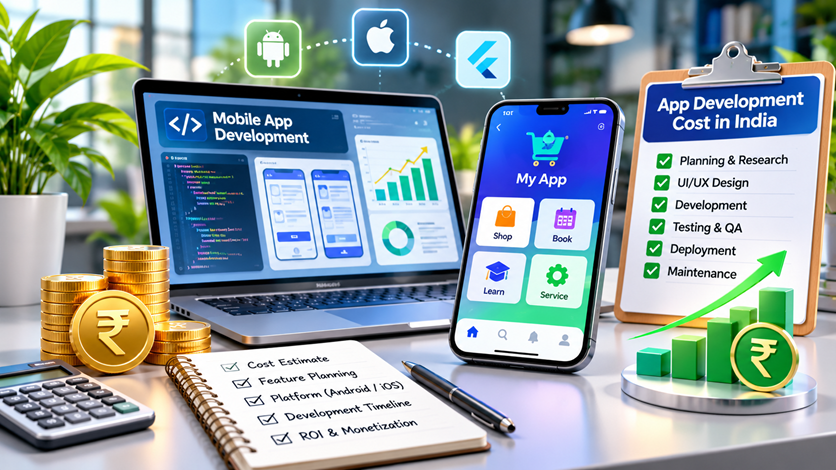
The amount of money required to start an app depends primarily on what you want your application to accomplish.
For example, developing a simple business application with basic information, contact details, and service listings requires considerably less investment than building an eCommerce platform with customer accounts, product management, payment gateways, order tracking, and delivery management.
Here is an estimated breakdown of mobile app development costs in India.
Estimated Mobile App Development Cost in India
| Application Type | Estimated Development Cost |
|---|---|
| Basic application | ₹30,000 – ₹1,00,000 |
| Simple business application | ₹50,000 – ₹1,50,000 |
| Medium-complexity application | ₹1,00,000 – ₹5,00,000 |
| eCommerce application | ₹1,00,000 – ₹5,00,000+ |
| Food delivery application | ₹2,00,000 – ₹8,00,000+ |
| Education application | ₹1,50,000 – ₹6,00,000+ |
| Booking application | ₹1,00,000 – ₹5,00,000+ |
| Advanced custom application | ₹5,00,000 – ₹20,00,000+ |
Note: These are illustrative planning ranges for the Indian market. Actual quotations can vary depending on the number of platforms, features, design, integrations, backend requirements, and development team.
Can You Start an App With ₹30,000?
Yes, it is possible to start certain types of applications with a budget of approximately ₹30,000, provided that the requirements are limited.
For example, you might develop a simple application that includes:
- Basic home screen
- About your business
- Service or product information
- Contact details
- Simple enquiry form
- Basic navigation
- Limited backend functionality
However, this budget would generally not be sufficient for a fully featured eCommerce application, a complex social networking platform, or an application with multiple user roles and advanced integrations.
The smartest approach is to start with the essential features and gradually introduce additional functionality as your business grows.
2. What Factors Determine the Cost of Starting an App?
Several factors influence the total cost of developing a mobile application. Understanding these factors will help you prepare a realistic budget.
2.1 App Complexity
Application complexity is one of the biggest factors affecting development expenses.
A simple application with a few screens and limited functionality requires less development time. On the other hand, an application with multiple user accounts, real-time notifications, payment processing, location tracking, and administrative controls requires considerably more work.
For example:
A simple company profile app may only display business information, services, and contact details.
An eCommerce application may require customer registration, product categories, shopping carts, payment integration, order management, delivery tracking, and an administrative dashboard.
Naturally, the second application will require a larger development budget.
2.2 Number of Features
Every additional feature requires design, development, testing, and sometimes ongoing maintenance.
Some common mobile app features include:
- User registration and login
- Social media login
- User profiles
- Product listings
- Search and filtering
- Shopping cart
- Online payment integration
- Push notifications
- Location tracking
- Live chat
- Booking management
- Reviews and ratings
- Reports and analytics
- Admin dashboard
You should identify which features are absolutely necessary for your first version.
Adding too many features at the beginning can increase development expenses without guaranteeing that customers will actually use them.
2.3 Android or iOS Development
Another important decision is choosing the platform for your application.
You can develop an application for Android, iOS, or both.
Android application development
Android apps are developed for devices running the Android operating system. They can reach a large audience in India because Android smartphones are widely used.
iOS application development
iOS apps are designed for Apple devices, including iPhones and iPads. If your target customers primarily use Apple devices, developing an iOS application may be beneficial.
Cross-platform application development
Cross-platform development allows developers to create applications for Android and iOS using a shared codebase.
Technologies such as Flutter can reduce duplicated development work and make it easier to maintain applications across multiple platforms.
Your platform selection should depend on your target audience, business objectives, and available budget.
2.4 UI and UX Design
A mobile application should not only function correctly but also provide a comfortable user experience.
UI refers to User Interface, which includes the visual elements of your application, such as buttons, colors, icons, typography, and screen layouts.
UX refers to User Experience, which focuses on how easily users can navigate and complete different activities within the application.
Professional UI/UX design can improve customer satisfaction, increase engagement, and encourage users to return.
The cost of designing an application depends on the number of screens, design complexity, custom illustrations, animations, and prototyping requirements.
2.5 Backend Development
The backend is responsible for managing information and performing operations behind the application.
For example, an eCommerce application needs backend functionality to manage:
- Customer accounts
- Products and categories
- Orders
- Payments
- Inventory
- Delivery information
- Customer enquiries
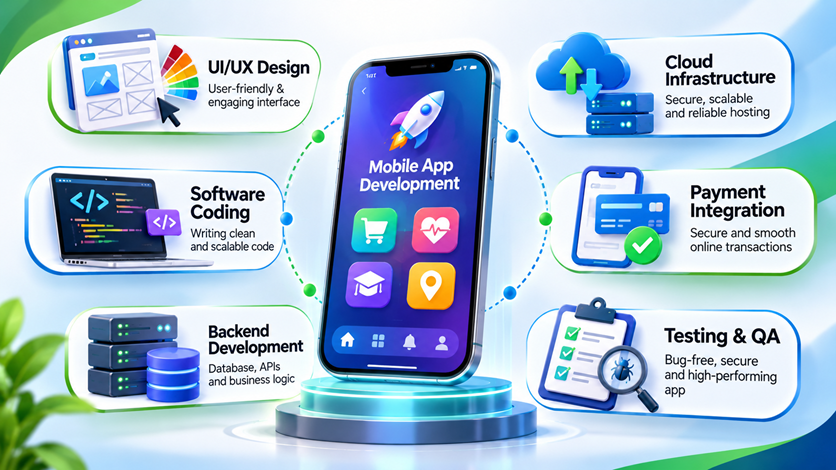
The backend may also include APIs, database management, authentication, security controls, and server-side business logic.
A simple application may require limited backend functionality, while a complex application may need a fully customized backend system.
2.6 Third-Party Integrations
Many applications depend on external services to provide additional functionality.
Common integrations include:
- Payment gateways
- Google Maps
- SMS verification
- Email services
- WhatsApp communication
- Social media login
- Analytics platforms
- Cloud storage
- Delivery partner APIs
Some third-party services are free within certain usage limits, while others charge monthly fees or transaction-based charges.
These expenses should be considered before finalizing your app development budget.
3. Different Types of Apps and Their Development Costs
Before investing in application development, you should understand how much different categories of apps may cost.
3.1 eCommerce Application
An eCommerce application allows businesses to sell products directly through smartphones.
Customers can browse products, compare prices, add items to their shopping carts, complete payments, and track their orders.
Common eCommerce app features include:
- Customer registration
- Product categories
- Product descriptions
- Product images
- Shopping cart
- Wishlist
- Payment gateway
- Order management
- Discount coupons
- Delivery tracking
- Push notifications
- Admin dashboard
Estimated development cost: ₹1,00,000 to ₹5,00,000 or more.
The final price depends on the number of products, customization, payment integrations, delivery requirements, and administrative functionality.
For small businesses, launching with essential shopping features and introducing advanced features later can be a cost-effective strategy.
3.2 Food Delivery Application
Food delivery applications connect customers with restaurants and delivery partners.
These applications generally involve three different interfaces:
- Customer application
- Restaurant management interface
- Delivery partner application
Common features include restaurant listings, food menus, online ordering, payment processing, delivery tracking, ratings, and order notifications.
Estimated development cost: ₹2,00,000 to ₹8,00,000 or more.
A food delivery platform with live tracking, multiple restaurant accounts, automated delivery assignment, and real-time communication will require a higher investment.
3.3 Educational Application
Educational apps have become increasingly popular among schools, coaching centres, tutors, and online learning businesses.
They allow students to access educational content through smartphones.
Common features include:
- Student registration
- Online courses
- Video lessons
- Study materials
- Online examinations
- Quiz functionality
- Progress tracking
- Subscription management
- Online payments
- Teacher dashboard
Estimated development cost: ₹1,50,000 to ₹6,00,000 or more.
The price can increase if you require live classes, video streaming, advanced examination systems, or interactive learning tools.
3.4 Business Application
A business application helps companies communicate with customers and manage services.
For example, a service-based business may develop an app that allows customers to view services, request quotations, book appointments, and receive notifications.
Common features include:
- Company information
- Service listings
- Customer registration
- Appointment booking
- Enquiry forms
- Push notifications
- Customer support
- Admin dashboard
Estimated development cost: ₹50,000 to ₹1,50,000.
This type of application can be a practical starting point for small businesses that want to establish a mobile presence.
3.5 Booking Application
Booking applications are useful for hotels, salons, doctors, consultants, travel agencies, and service providers.
Customers can check availability and book services directly through the application.
Typical features include:
- User registration
- Service listings
- Availability calendar
- Appointment scheduling
- Online payments
- Booking confirmation
- Cancellation management
- Push notifications
- Admin panel
Estimated development cost: ₹1,00,000 to ₹5,00,000 or more.
The final cost depends on scheduling complexity, the number of service providers, and integration requirements.
3.6 Social Networking Application
Social networking applications allow users to communicate, share information, upload content, and interact with other members.
Some common features include:
- User profiles
- Friend or follower systems
- Posts and comments
- Image and video sharing
- Messaging
- Notifications
- Content moderation
- Reporting systems
- Privacy settings
Estimated development cost: ₹5,00,000 to ₹20,00,000 or more.
Building a scalable social networking platform requires considerable planning, infrastructure, security, and ongoing maintenance.
4. Detailed Breakdown of App Development Expenses
Understanding the overall development price is useful, but knowing where your money goes is even more important.
Here is a breakdown of the major expenses involved in developing a mobile application.
4.1 Planning and Research
Before development begins, you need to understand your target audience, competitors, business objectives, and application requirements.
This stage may include:
- Market research
- Competitor analysis
- Feature planning
- Technical feasibility
- User journey planning
- Project documentation
Estimated cost: ₹5,000 to ₹30,000, depending on the scope and whether these services are included in the development package.
Proper planning can prevent unnecessary expenses during development.
4.2 UI/UX Design Cost
Application design determines how users interact with your product.
The design process generally includes wireframes, prototypes, screen layouts, typography, colors, and reusable interface components.
Estimated cost: ₹10,000 to ₹60,000 or more.
A basic application with a limited number of screens will cost less than a large application requiring custom illustrations, animations, and detailed user journeys.
4.3 Frontend Development
Frontend development involves building the screens and interactive elements that users see and operate.
It includes navigation, buttons, forms, product displays, animations, and communication with backend services.
Estimated cost: ₹20,000 to ₹1,50,000 or more.
The actual cost depends on the number of screens and the complexity of the interface.
4.4 Backend Development
Backend development handles databases, user authentication, business logic, APIs, and application data.
Estimated cost: ₹20,000 to ₹2,00,000 or more.
A simple application may need only basic backend functionality. A multi-vendor marketplace or social networking application may require significantly more complex backend development.
4.5 Testing and Quality Assurance
Testing is essential before launching your application.
Developers need to verify that all features work correctly across supported devices and operating system versions.
Testing may include:
- Functional testing
- UI testing
- Device compatibility testing
- Performance testing
- Security testing
- Payment testing
- Bug fixing
Estimated cost: ₹5,000 to ₹50,000 or more.
Skipping proper testing can lead to technical problems, poor reviews, and customer dissatisfaction after launch.
4.6 App Deployment
Once development and testing are complete, your application needs to be prepared for publication.
This may include generating release builds, configuring application signing, preparing store listings, creating screenshots, and completing platform-specific requirements.
Developer account registration fees are separate from development charges.
Google Play Console generally requires a one-time registration fee of US$25. Apple Developer Program membership generally costs US$99 per year, subject to applicable regional pricing and eligibility.
Always verify the latest fees and publishing policies directly with the respective platforms.
5. Should You Choose Flutter or Native App Development?
Your technology choice can have a significant impact on development expenses.
Two popular approaches are native development and cross-platform development.
Native App Development
Native applications are developed specifically for individual operating systems.
For example:
- Kotlin or Java for Android
- Swift for iOS
Advantages include:
- Direct access to platform-specific features
- Strong platform integration
- Greater control over native functionality
- Suitable for specialized performance requirements
Disadvantages include:
- Separate development efforts for Android and iOS
- Potentially higher development costs
- Separate maintenance requirements
Flutter App Development
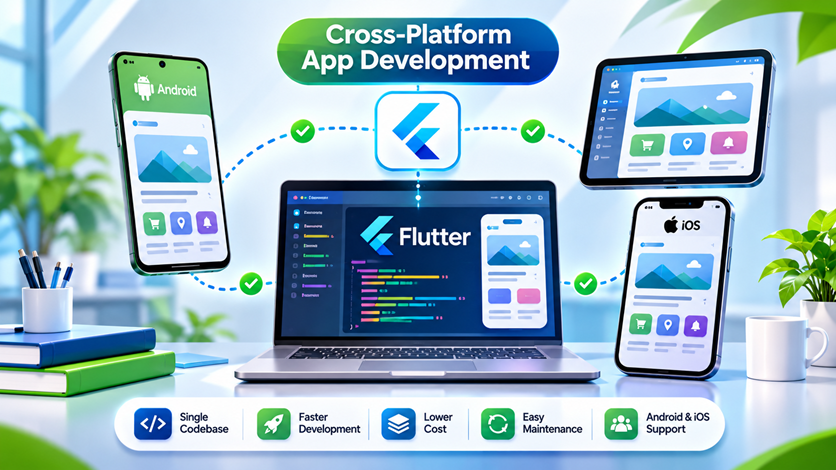
Flutter is a cross-platform framework that allows developers to build applications for Android and iOS using a shared codebase.
Advantages include:
- Shared development code
- Faster development for many projects
- Consistent interface across platforms
- Easier maintenance of shared functionality
- Useful for startups with limited budgets
Disadvantages include:
- Some platform-specific features still require native development
- Certain advanced integrations may need additional configuration
- Performance and architecture must be considered carefully for specialized applications
For many startups and small businesses, Flutter can be a practical option because it reduces duplicated development work.
However, the best technology depends on your project requirements rather than simply choosing the cheapest option.
6. Additional Costs You Should Consider After Developing an App
Many business owners focus only on development expenses and forget about the costs involved in running an application.
An app requires continuous attention after launch.
6.1 Server and Hosting Expenses
Applications that store user information or process online transactions need backend infrastructure.
Hosting costs depend on storage, server performance, database requirements, bandwidth, and the number of active users.
Indicative monthly planning ranges:
| Hosting Type | Estimated Monthly Cost |
|---|---|
| Basic hosting or backend service | ₹500 – ₹2,000 |
| Small cloud server | ₹1,000 – ₹5,000 |
| Medium cloud infrastructure | ₹5,000 – ₹20,000 |
| Advanced infrastructure | ₹20,000+ |
These amounts are planning estimates. Cloud providers may charge separately for storage, database usage, bandwidth, backups, and other services.
6.2 App Maintenance
Maintenance is necessary to keep your application working properly.
It may include:
- Bug fixing
- Operating system compatibility updates
- Security updates
- Database maintenance
- Performance optimization
- API updates
- Feature improvements
A reasonable initial planning allowance is around 10% to 20% of the original development cost annually, although the actual amount varies considerably with application complexity and support requirements.
6.3 Payment Gateway Charges
If your application accepts online payments, you may need to integrate a payment gateway.
Popular payment service providers in India include Razorpay, Cashfree, and PayU.
These services may charge transaction fees depending on the payment method, merchant agreement, and applicable taxes.
You should check the current commercial terms before selecting a payment gateway.
6.4 Marketing and Promotion
Developing an application does not automatically bring customers.
You also need a strategy to attract users and generate downloads.
Marketing expenses may include:
- Google Ads
- Social media advertising
- Search engine optimization
- Influencer marketing
- Content marketing
- Promotional videos
- App Store Optimization
- Referral campaigns
For a small startup, you might initially allocate ₹5,000 to ₹20,000 per month for promotional activities, depending on your audience and marketing goals.
The correct budget depends on your customer acquisition strategy.
6.5 Customer Support
Once your application becomes available to users, customers may need help with account access, payments, bookings, orders, or technical problems.
You should plan how support requests will be handled.
For a small application, email or WhatsApp support may be sufficient initially. Larger applications may require dedicated customer support systems.
7. How to Start an App With a Small Budget
You do not necessarily need a huge investment to enter the mobile app market.
Many successful digital products begin with a simple version that solves one particular problem.
Here are some practical strategies for reducing initial development expenses.
7.1 Start With an MVP
MVP stands for Minimum Viable Product.
It is the first functional version of an application containing only the most important features needed to solve a specific customer problem.
For example, if you want to build a grocery delivery application, your first version might include:
- Customer registration
- Product listing
- Shopping cart
- Order placement
- Basic payment functionality
- Order management
You can introduce features such as advanced delivery tracking, loyalty points, subscription plans, and personalized recommendations later.
An MVP helps you launch faster, test your idea, and understand customer behaviour before investing in advanced features.
7.2 Avoid Unnecessary Features
It is tempting to add every possible feature to your application.
However, not every feature contributes directly to your business objectives.
Before adding a feature, ask yourself:
- Will customers actually use it?
- Does it solve a real problem?
- Is it necessary for the first launch?
- Can it be introduced later?
- Does it increase maintenance expenses?
Prioritizing essential functionality is one of the easiest ways to control your budget.
7.3 Choose Cross-Platform Development
If you want to target Android and iOS users, consider cross-platform development.
Flutter can help reduce duplicated development efforts because much of the application logic and interface can be shared.
This approach can be particularly useful for startups that want to reach users on multiple platforms without maintaining two completely separate applications.
7.4 Use Existing Services Where Appropriate
You do not need to develop every component from scratch.
Depending on your requirements, you may use existing solutions for:
- Authentication
- Push notifications
- Payment processing
- Cloud storage
- Analytics
- Maps
- Email communication
Using established services can save development time and reduce initial expenses.
However, always consider subscription costs, usage limits, data security, and future scalability.
7.5 Build in Phases
Instead of developing a large application in one stage, divide the project into manageable phases.
Phase 1: Basic application
Develop the essential screens and core functionality.
Phase 2: Business features
Introduce payment integration, advanced account management, and additional workflows.
Phase 3: Growth features
Add analytics, automation, advanced notifications, and performance improvements.
This approach allows you to distribute expenses over time.
8. How Much Does It Cost to Maintain an App Monthly?
Application maintenance costs depend on the number of active users, infrastructure, technical complexity, and required support.
Here is an illustrative monthly expense breakdown.
| Expense | Estimated Monthly Cost |
|---|---|
| Basic hosting | ₹500 – ₹2,000 |
| Database and storage | ₹500 – ₹3,000 |
| Maintenance and technical support | ₹2,000 – ₹10,000 |
| Marketing | ₹5,000 – ₹20,000 |
| Third-party services | ₹500 – ₹3,000 |
| Customer support | Depends on requirements |
A small application might operate with a limited monthly budget, while a growing business application may require considerably more investment.
Remember that these figures are not mandatory fixed charges. Some applications can operate with very low infrastructure expenses, particularly during their early stages.
Your budget should reflect actual usage rather than paying for infrastructure that you do not need.
9. How Can You Make Money From Your Mobile Application?
If you are investing in application development, you should also think about how the application will generate revenue.
There are several monetization strategies available.
9.1 In-App Advertising
You can display advertisements within your application and earn revenue based on eligible impressions, clicks, or other advertising models.
This approach is commonly used by free applications.
However, excessive advertising can negatively affect the user experience.
9.2 Subscription Model
A subscription model allows users to pay regularly to access premium features or services.
For example:
- Educational applications
- Fitness applications
- Productivity applications
- Entertainment platforms
- Professional software
You can offer monthly and annual subscription plans.
9.3 One-Time Purchase
Some applications charge users a one-time amount to download or unlock the application.
This model can work well for specialized tools and premium applications that provide clear value.
9.4 Selling Products Through an App
An eCommerce application can generate revenue by selling physical or digital products.
You earn money through product sales and potentially additional services such as delivery or subscriptions.
9.5 Commission-Based Revenue
Marketplace applications can charge commissions for transactions completed through the platform.
For example, a booking application may collect a percentage from service providers for every confirmed booking.
Similarly, food delivery platforms may generate revenue through restaurant commissions and delivery charges.
9.6 Freemium Model
A freemium application provides basic functionality free of charge while offering additional features through paid upgrades.
This strategy allows users to experience your application before deciding whether to purchase premium functionality.
10. Common Mistakes to Avoid When Starting an App
Many application projects experience budget problems because of poor planning.
Avoiding common mistakes can help you save time and money.
Mistake 1: Starting Development Without Proper Research
Before building your application, understand your target audience and competitors.
An idea may sound attractive, but that does not necessarily mean customers will pay for it.
Conduct research to determine whether people actually need your proposed solution.
Mistake 2: Adding Too Many Features
Too many features can increase development costs and make your application difficult to use.
Focus on solving one primary problem first.
Mistake 3: Choosing a Developer Only Because of Low Pricing
The cheapest quotation is not always the best option.
Before hiring a development company, review its portfolio, technical experience, communication process, project scope, and support policy.
A poorly developed application may eventually cost more because of bugs, security problems, and redevelopment.
Mistake 4: Ignoring Application Security
Applications often store sensitive customer information.
Security should be considered from the beginning.
Important measures may include:
- Secure authentication
- Encrypted communication
- Proper access control
- Secure API development
- Database protection
- Regular security updates
- Appropriate data backup
Security requirements should be planned according to the type of information your application handles.
Mistake 5: Ignoring Marketing
Even an excellent application may struggle if potential customers do not know it exists.
Plan your marketing activities before launch.
Consider building a website, creating social media accounts, publishing helpful content, and preparing promotional campaigns.
Mistake 6: Not Planning for Maintenance
Application development is not a one-time activity.
Operating systems, devices, APIs, and security requirements change over time.
Always reserve part of your budget for ongoing technical maintenance.
11. How to Choose the Right Mobile App Development Company
Selecting the right development partner is an important decision for your business.
A professional development company can help you transform your idea into a functional and scalable application.
Here are some factors to consider before choosing a developer.
Check the Company’s Portfolio
Review previous projects to understand the company’s technical capabilities.
Look for applications with features similar to your requirements.
Understand the Development Process
A reliable development partner should follow a structured process involving planning, design, development, testing, and deployment.
You should understand what will be delivered at every stage.
Compare Quotations Carefully
Do not compare development companies based only on their final prices.
Check whether quotations include:
- UI/UX design
- Android development
- iOS development
- Backend development
- Admin dashboard
- API integrations
- Testing
- Deployment assistance
- Maintenance and support
A low quotation may exclude important services that you will need to purchase separately.
Discuss Ownership and Source Code
Make sure the agreement clearly explains ownership of the application, source code, designs, database, and associated project assets.
You should also understand how access to hosting accounts, developer accounts, and third-party services will be managed.
Ask About Maintenance
Find out whether the development company provides post-launch support.
Ask about bug fixing, updates, technical assistance, and additional feature development.
12. Why Choose Infotech Wayout for Your App Development Project?
At Infotech Wayout, we help businesses transform their ideas into practical digital solutions through professional web and mobile application development services.
We understand that developing an application is an important investment, especially for startups and small businesses.
Our approach focuses on understanding your requirements, selecting appropriate technologies, and developing solutions that match your business objectives.
Our Mobile App Development Services
Android App Development
We develop Android applications designed to provide smooth functionality, user-friendly interfaces, and reliable performance.
iOS App Development
We help businesses reach Apple device users through professionally designed iOS applications.
Flutter App Development
Our Flutter development services help businesses build cross-platform applications with a shared codebase for Android and iOS.
eCommerce App Development
We develop eCommerce applications with product management, shopping carts, online payments, order processing, and other essential shopping features.
Custom App Development
We create customized application solutions according to your business model, target audience, and functional requirements.
Backend and Admin Panel Development
We also develop backend systems and administrative dashboards to help businesses manage users, products, orders, and other important operations.
Affordable App Development for Startups
We believe that businesses should have access to practical technology solutions without unnecessary expenses.
Our goal is to help clients prioritize important features, select appropriate technologies, and develop applications within a reasonable budget.
Whether you want to launch a basic business application or develop a customized eCommerce platform, our team can help you understand the technical requirements and estimated investment.
Ready to turn your app idea into reality?
Contact Infotech Wayout to discuss your application requirements and receive a development quotation.
Website: https://www.infotechwayout.com/
13. Final Thoughts: Planning Your App Development Investment
Starting a mobile application does not always require a massive investment. The amount of money you need depends on the type of application, its features, technology, design, backend requirements, and long-term business objectives.
A simple application may be developed with a relatively small budget, while an advanced application with complex functionality requires considerably more investment.
If you are a startup founder or small business owner, the best approach is to begin with a clearly defined idea and a realistic Minimum Viable Product.
Focus on solving a genuine customer problem instead of developing unnecessary features. Choose the right technology, work with an experienced development team, and keep some budget aside for marketing and maintenance.
Remember that the initial development cost is only one part of your investment. A successful application also requires continuous improvement, customer engagement, security, and a sustainable revenue model.
At Infotech Wayout, we are committed to helping businesses build reliable and affordable mobile application solutions.
With the right planning and development strategy, your app idea can become a valuable digital product and a new opportunity for business growth.
Frequently Asked Questions (FAQs)
1. How much money do I need to start an app in India?
The cost depends on the application’s features, complexity, and technology. A basic mobile application may cost approximately ₹30,000 to ₹1,00,000. A medium-complexity application may require ₹1,00,000 to ₹5,00,000, while advanced applications can cost ₹5,00,000 to ₹20,00,000 or more.
If you are starting a business, consider developing an MVP with only essential features. This allows you to test your idea without investing in a fully featured application immediately.
2. Can I develop an app with ₹30,000?
Yes, you can develop a simple application with a budget of approximately ₹30,000, depending on the features and development requirements.
For example, a basic business application containing company information, service details, contact information, and simple navigation may fit within this budget.
However, complex applications involving online payments, advanced backend systems, multiple user roles, and real-time functionality generally require a higher investment.
You should discuss your requirements with a development company to understand what can realistically be delivered within your budget.
3. How much does it cost to develop an Android and iOS app?
The cost depends on whether you develop separate native applications or use a cross-platform framework.
Native Android and iOS development may require separate development efforts, increasing the overall investment.
Cross-platform frameworks such as Flutter allow developers to share much of the codebase between platforms, which can reduce development time and costs.
For a small or medium-sized application, Flutter can be a practical solution when both Android and iOS support are required.
4. How long does it take to develop a mobile application?
Development time depends on the number of features and the complexity of the application.
Typical estimated timelines include:
- Basic application: 2 to 4 weeks
- Small business application: 4 to 8 weeks
- Medium-complexity application: 2 to 4 months
- Advanced application: 4 to 8 months or longer
These are approximate timelines. Planning, design approval, third-party integrations, testing, and client feedback can affect the final delivery schedule.
5. Do I need a monthly budget after launching my app?
Yes, most applications require some ongoing expenditure after launch.
Common expenses include server hosting, database management, maintenance, security updates, third-party services, and marketing.
A small application may operate with relatively low monthly infrastructure costs, while a growing application may require additional server resources and technical support.
You should prepare a monthly operating budget before launching your application.
6. Is Flutter cheaper than native app development?
Flutter can be more cost-effective for many applications because developers can use a shared codebase for Android and iOS.
This reduces duplicated development work and can simplify maintenance.
However, Flutter is not automatically cheaper for every project. Applications requiring extensive platform-specific functionality or specialized integrations may still need additional native development.
The best approach depends on your technical requirements and long-term goals.
7. How can I earn money from my mobile application?
There are several ways to generate revenue from an application.
Popular monetization strategies include in-app advertising, subscriptions, one-time purchases, eCommerce sales, commission-based transactions, and premium features.
The right strategy depends on your application’s purpose and target audience.
For example, an educational application may generate revenue through subscriptions, while an eCommerce application earns revenue through product sales.
You should decide on your monetization strategy during the planning stage.
8. Which is the best company for affordable mobile app development in India?
The best development company depends on your project requirements, budget, preferred technology, and expected support.
Before selecting a company, review its portfolio, development experience, pricing transparency, communication process, and maintenance services.
Infotech Wayout provides mobile application development services, including Android, iOS, Flutter, eCommerce, and customized application solutions.
If you are planning to develop an application, you can contact Infotech Wayout to discuss your requirements and receive a suitable development quotation.

